![Zonder titel (800 x 184 px) (1) (1).png]](https://support.headfirst.group/hs-fs/hubfs/Zonder%20titel%20(800%20x%20184%20px)%20(1)%20(1).png?height=40&name=Zonder%20titel%20(800%20x%20184%20px)%20(1)%20(1).png)
Adding Work Permit End Date Instruction
- Search for candidate -> click on candidate’s profile that appeared.
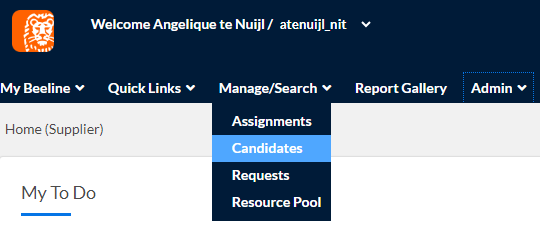
- Click on Compliance and Certification Management

- On the left bottom side next to the “return” button, there will be an “edit” button. Please click on it.

- Fill in the new expiration date of the work permit and then click on “OK”.


Adding Work Permit to Professional file
- Search for the professional -> click on the candidate’s profile that appeared.
- Click on “Summary” -> click “Edit” and upload the document under “Resume and Other Attachments and click on “OK”.
Note: name of the document has to be “WorkPermit_firstname_lastname” - Document is uploaded.